Skip to content
Book a demo

Matchmaking and 1:1 meetings for conferences and trade fairs

Conecta gives every attendee a ranked list of people worth meeting, with the reason on each name, and books the meeting at a table you set up. Your team runs it all from one dashboard.

iPhone, Android and web · English and Romanian

admin.conecta.dev
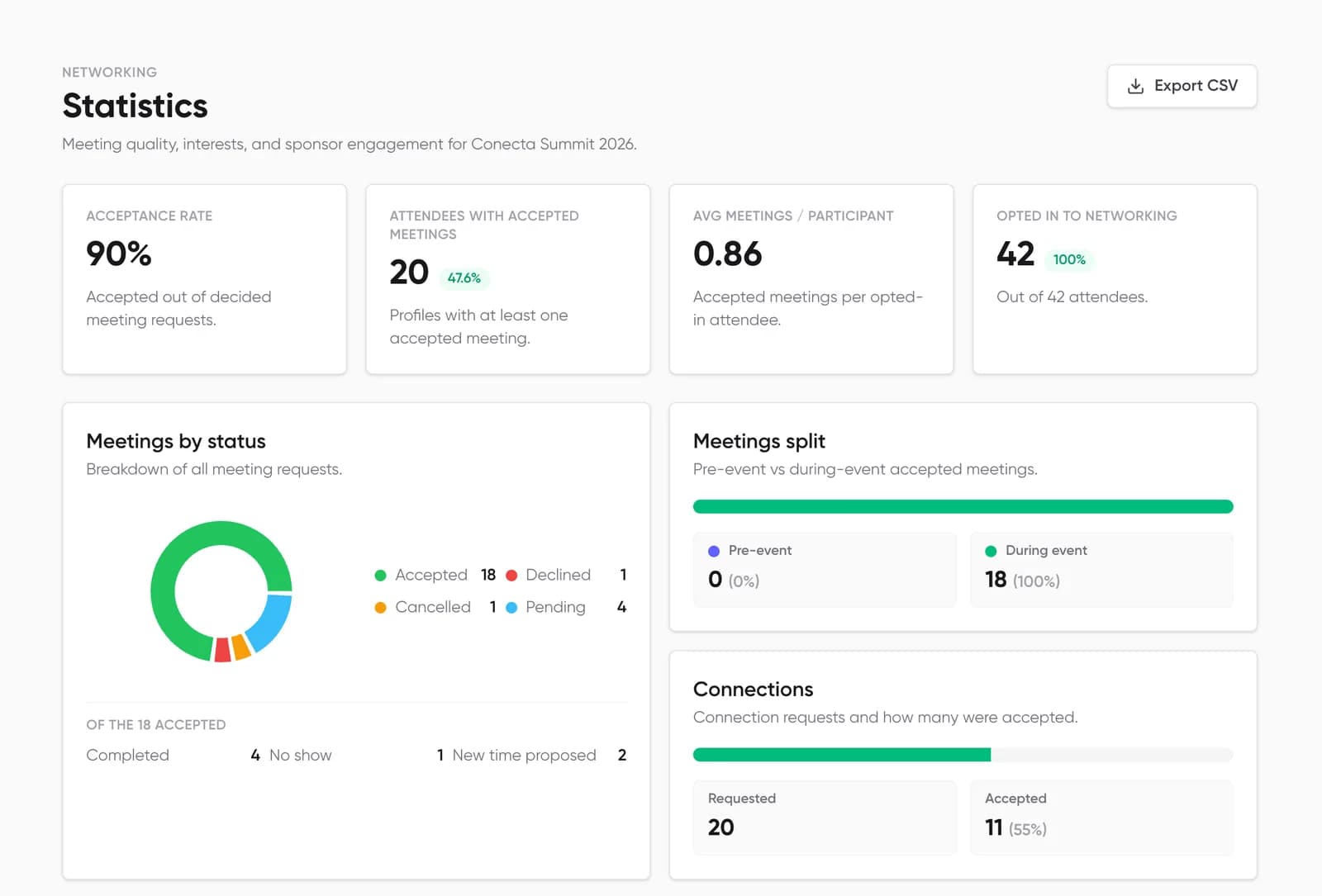
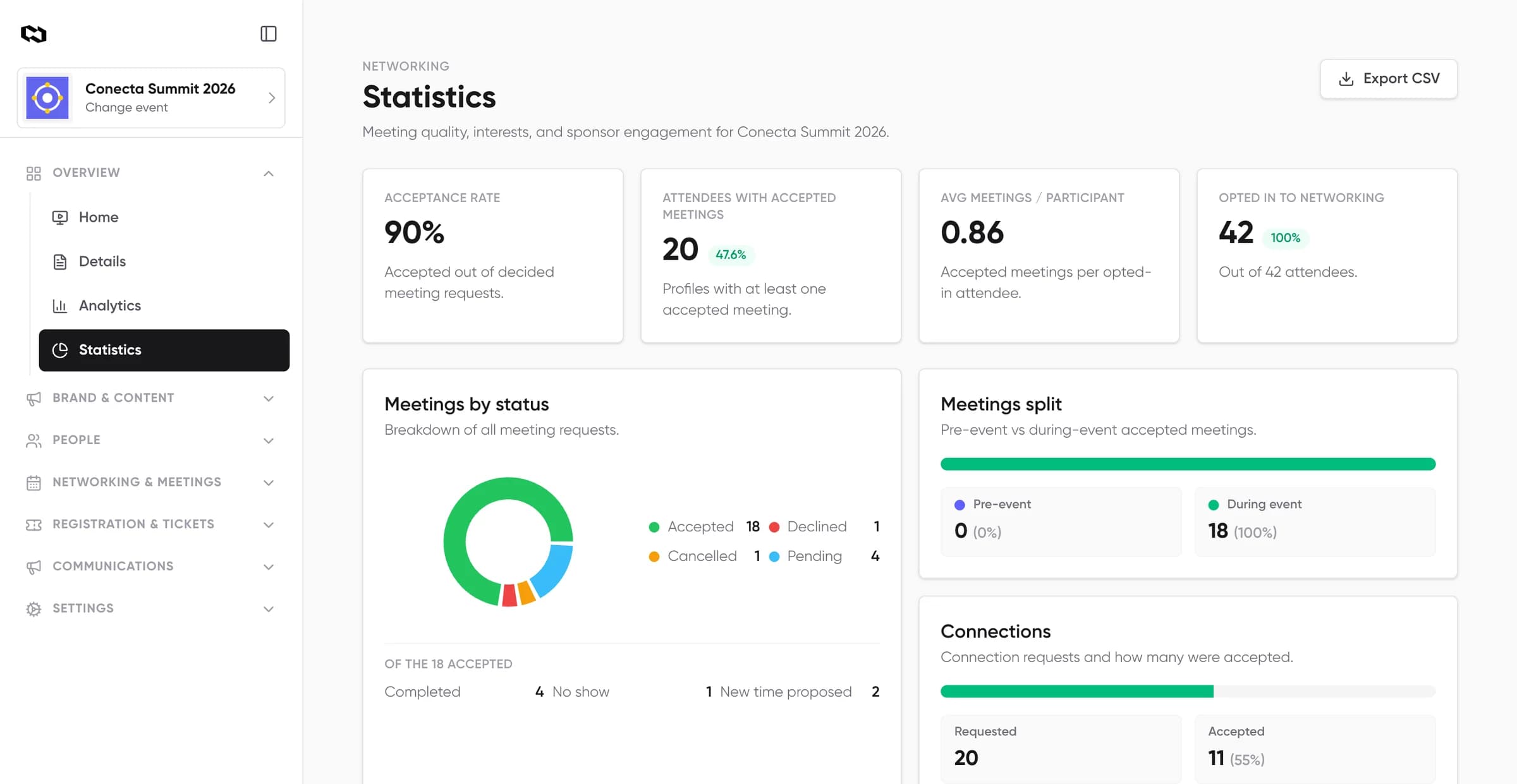
Conecta organizer dashboard, Statistics: acceptance rate, meetings per participant, meetings by status and connections for the demo event
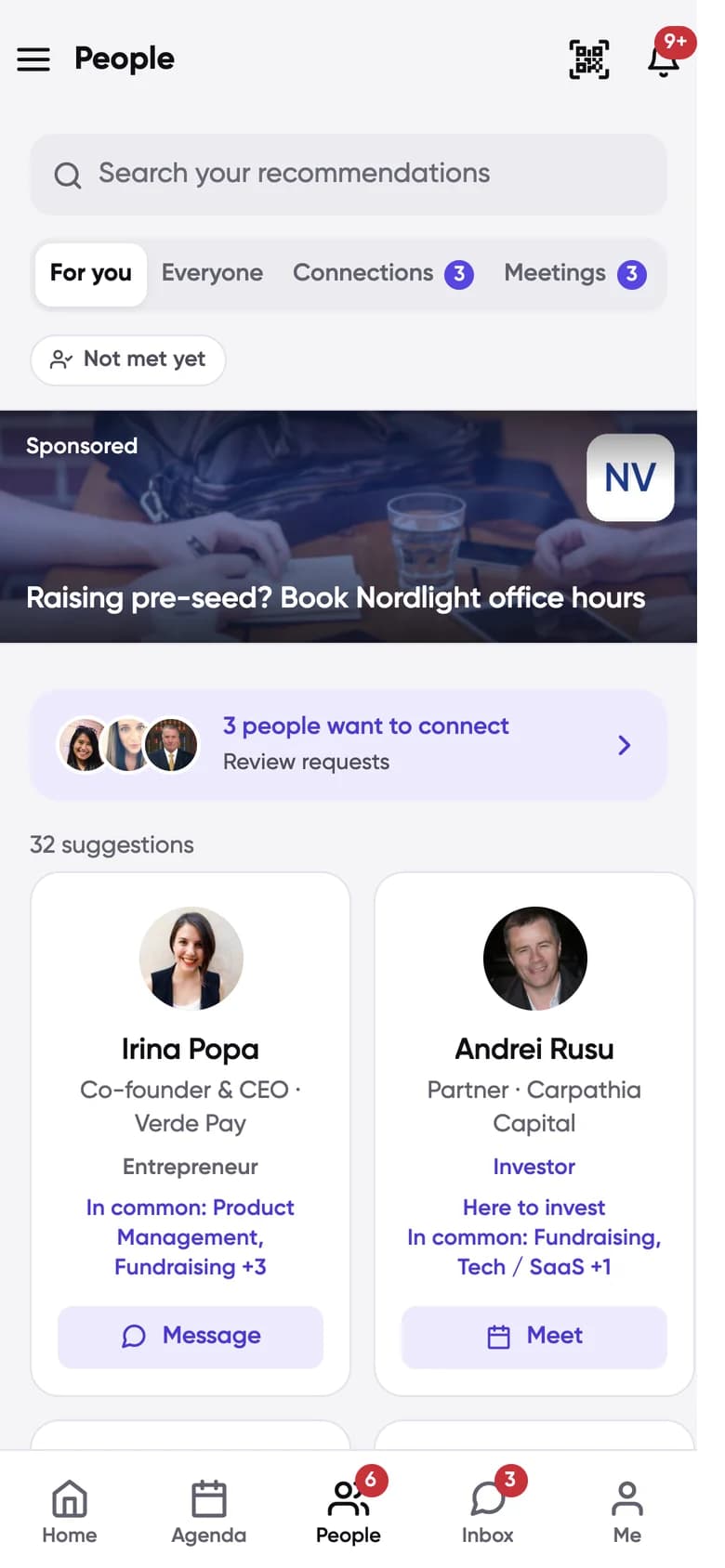
Conecta People, For you tab: suggested attendees with interests in common

Event organizers that have used Conecta

  • GrowthCon
  • Transilvania IT Cluster
  • Summitul Global de Conducere
  • HR Summit
  • Uganda International Trade Fair
  • Innovation Labs
  • Iceberg
  • Cluj Startups
  • FabLab powered by Orange
  • The WO

Try the attendee app, then see what your team controls

The Conecta app, rebuilt for this page with sample people from our demo event. Tap through it as an attendee, then switch to the organizer view to see the dashboard screen behind each step.

Interests

What are you interested in?

Pick at least one interest so we can suggest the right people to meet.

Intent

What do you want out of this interest?

Step 1 of 5

Say what you are into

When people join, they pick their interests and what they want from them.

For organizers: You choose the interests, the categories and which intents each one allows.

Sample people. The reply to your request is simulated.

Suggestions with the reason on every name

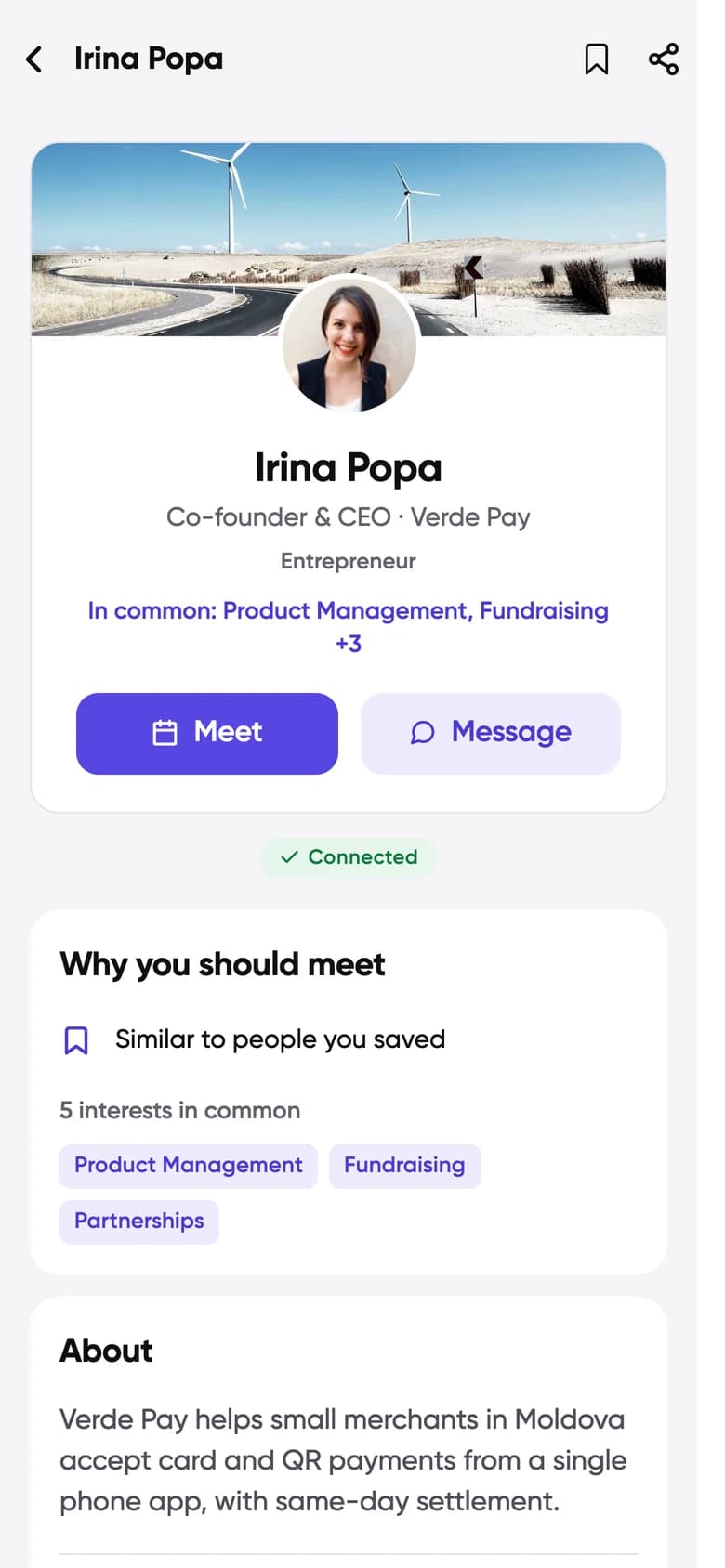
Each attendee gets a For you list ranked by shared interests and what they came for. Profiles say why two people should meet, so a request starts with context.

  • Five intents: Networking, Trading, Recruiting, Investing and Mentoring
  • Optional AI matching on job, company, role and activity in the app
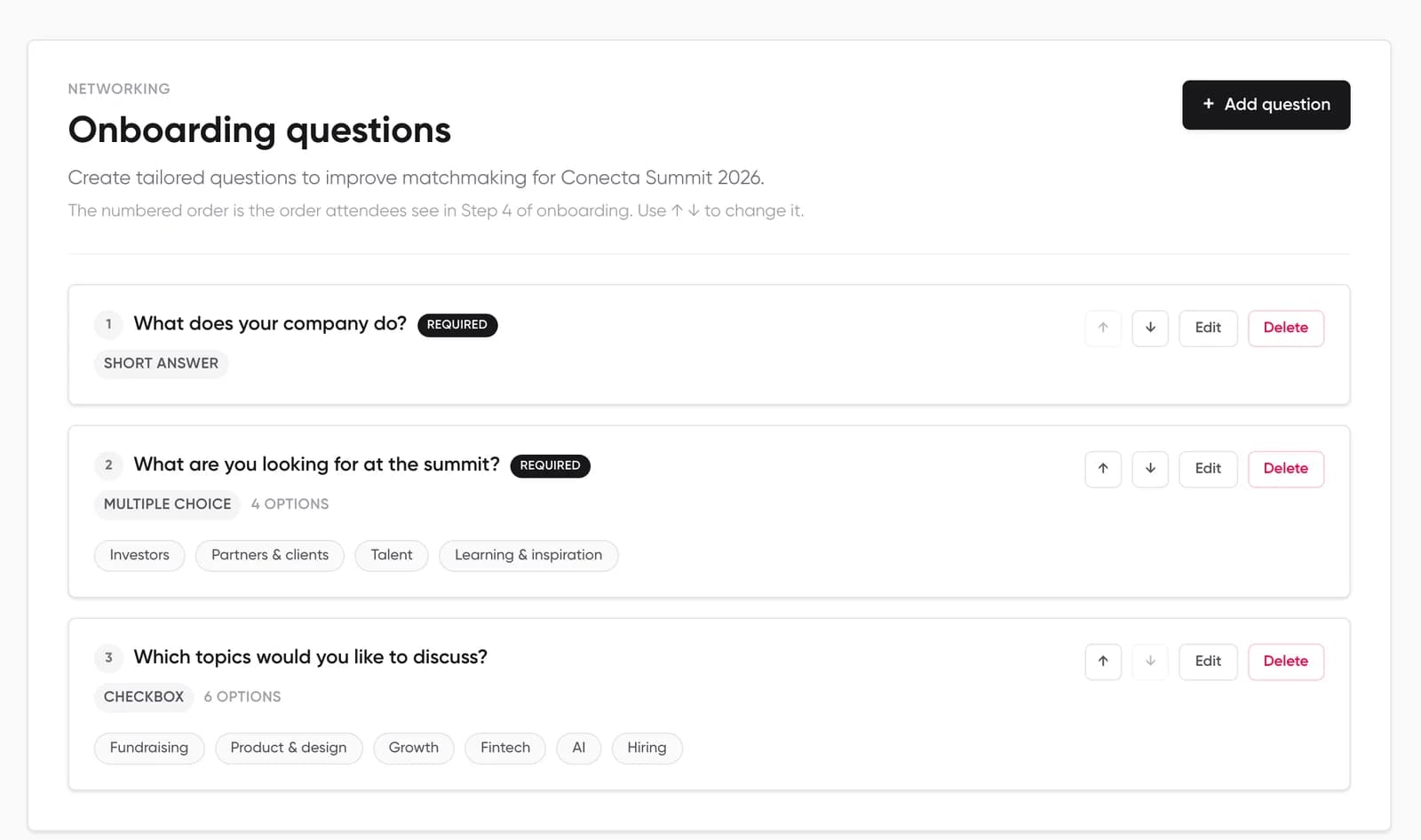
  • Your team edits the categories, interests and onboarding questions
How matchmaking works
Conecta People, For you tab: suggested attendees with interests in common
Conecta attendee profile: Irina Popa, with Meet and Message buttons and why you should meet

1:1 meetings at your tables, or online

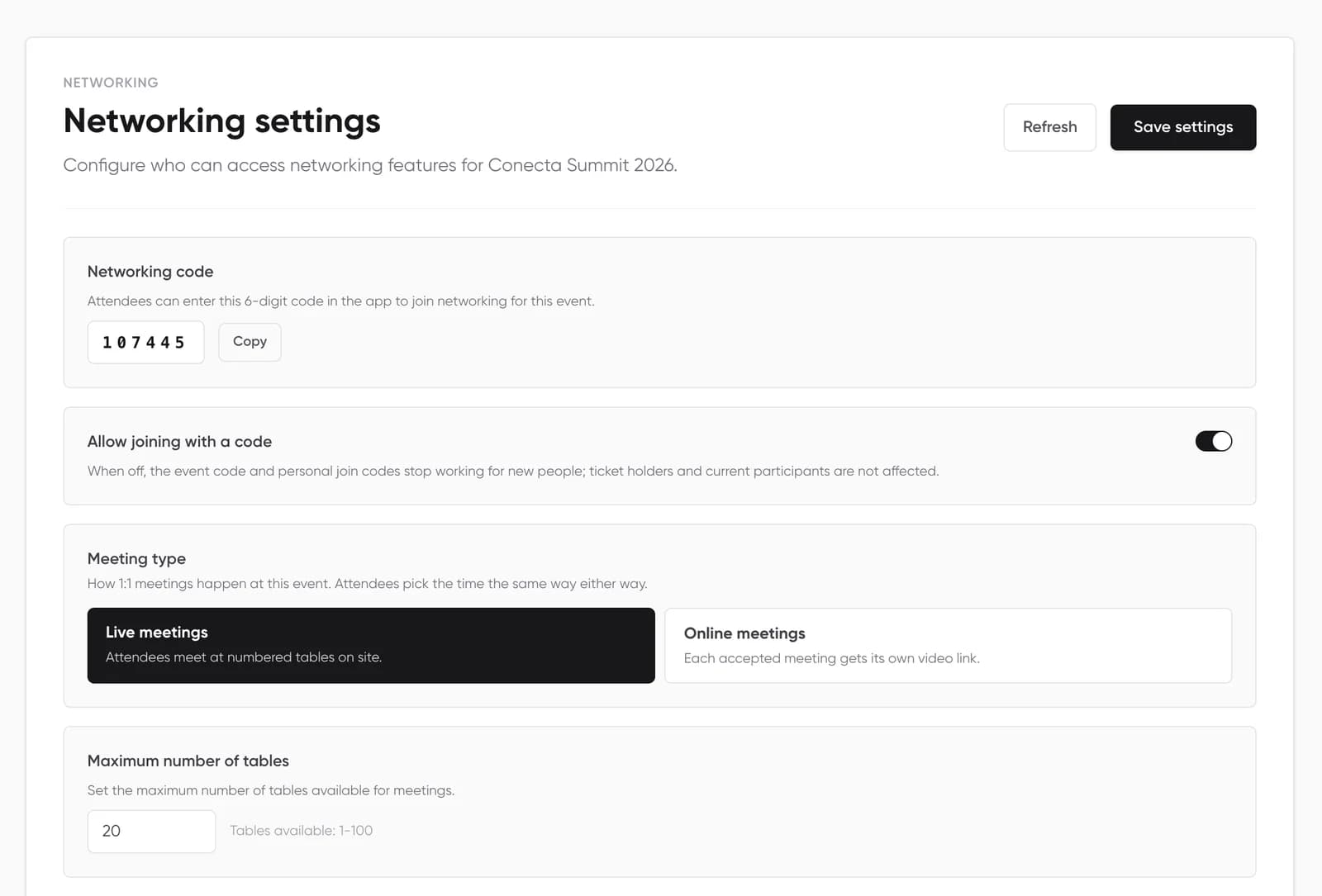
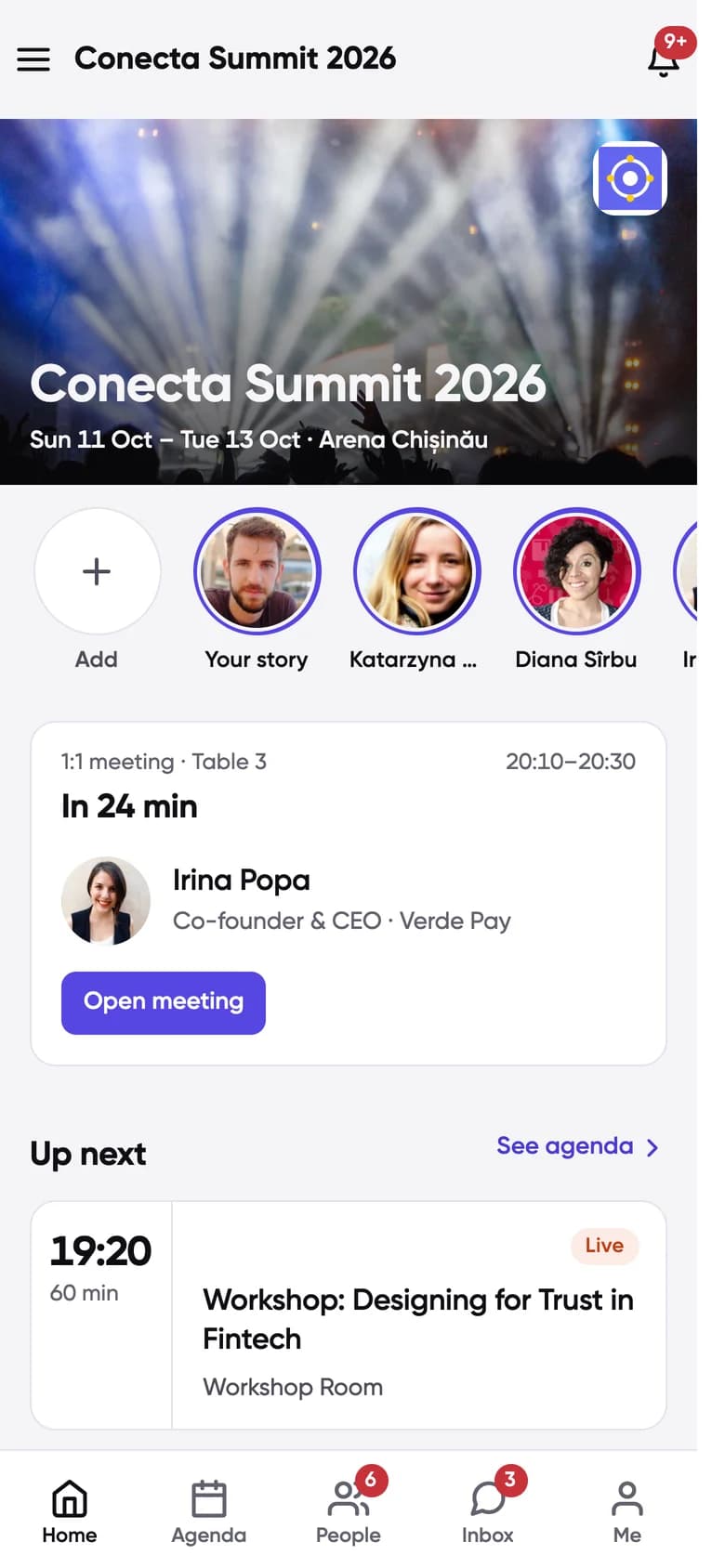
Attendees pick a free slot and add a note. When the other person accepts, a table is reserved and the meeting leads both Home screens with a countdown.

  • Accept, decline or propose a new time
  • Numbered tables, venue locations or exhibitor booths
  • Online meetings get a video link before they start
  • A calendar file for each meeting and a personal calendar feed
Meeting scheduling
admin.conecta.dev
Conecta dashboard, Networking settings: event code, live or online meetings, number of tables and meeting length
Conecta Home screen: the next meeting with Irina Popa at table 3 starts in 24 minutes

Agenda, Q&A and polls in the same app

Sessions sit next to meetings on each person’s day, so nobody books a meeting over the talk they came for.

  • Personal agenda, seat limits, applications and waitlists
  • Q&A with upvotes and moderation, plus live polls
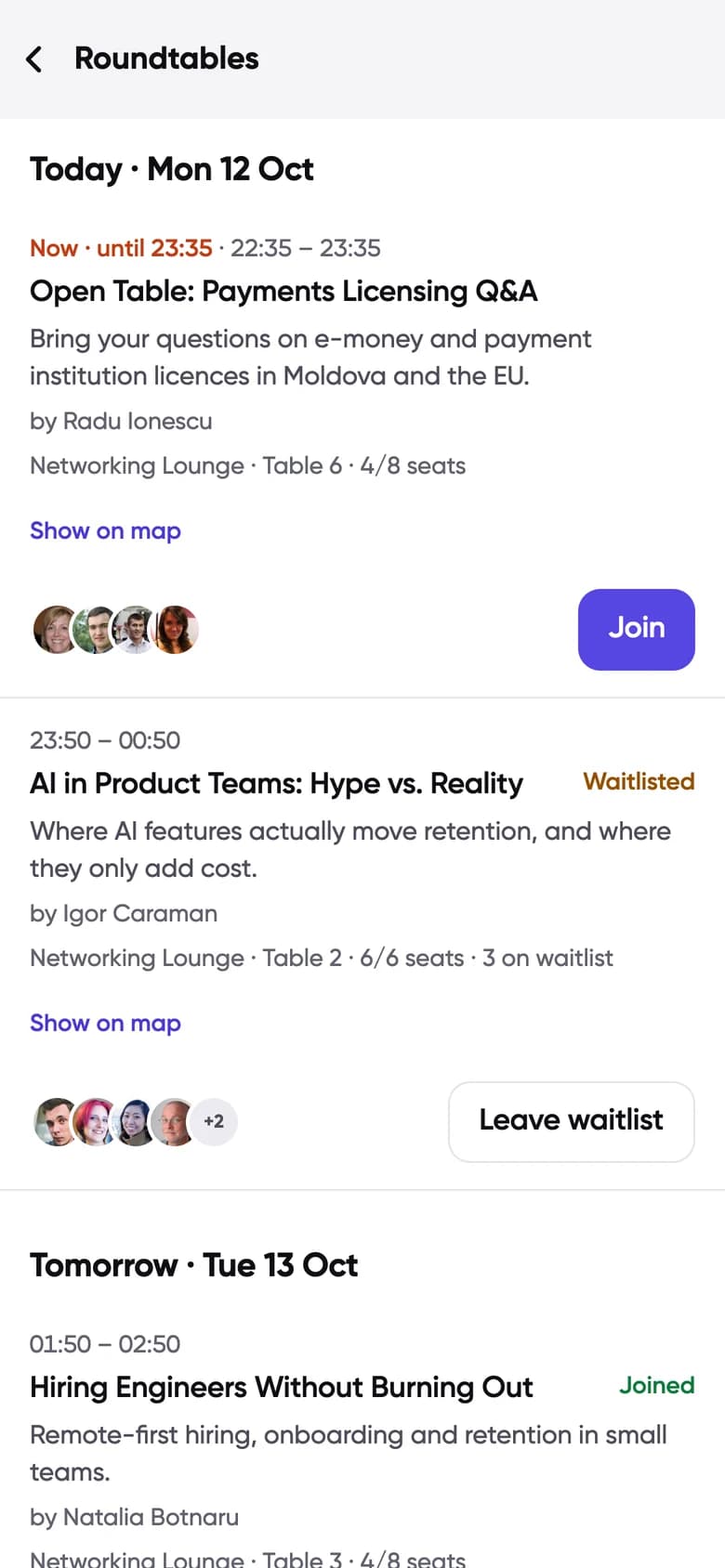
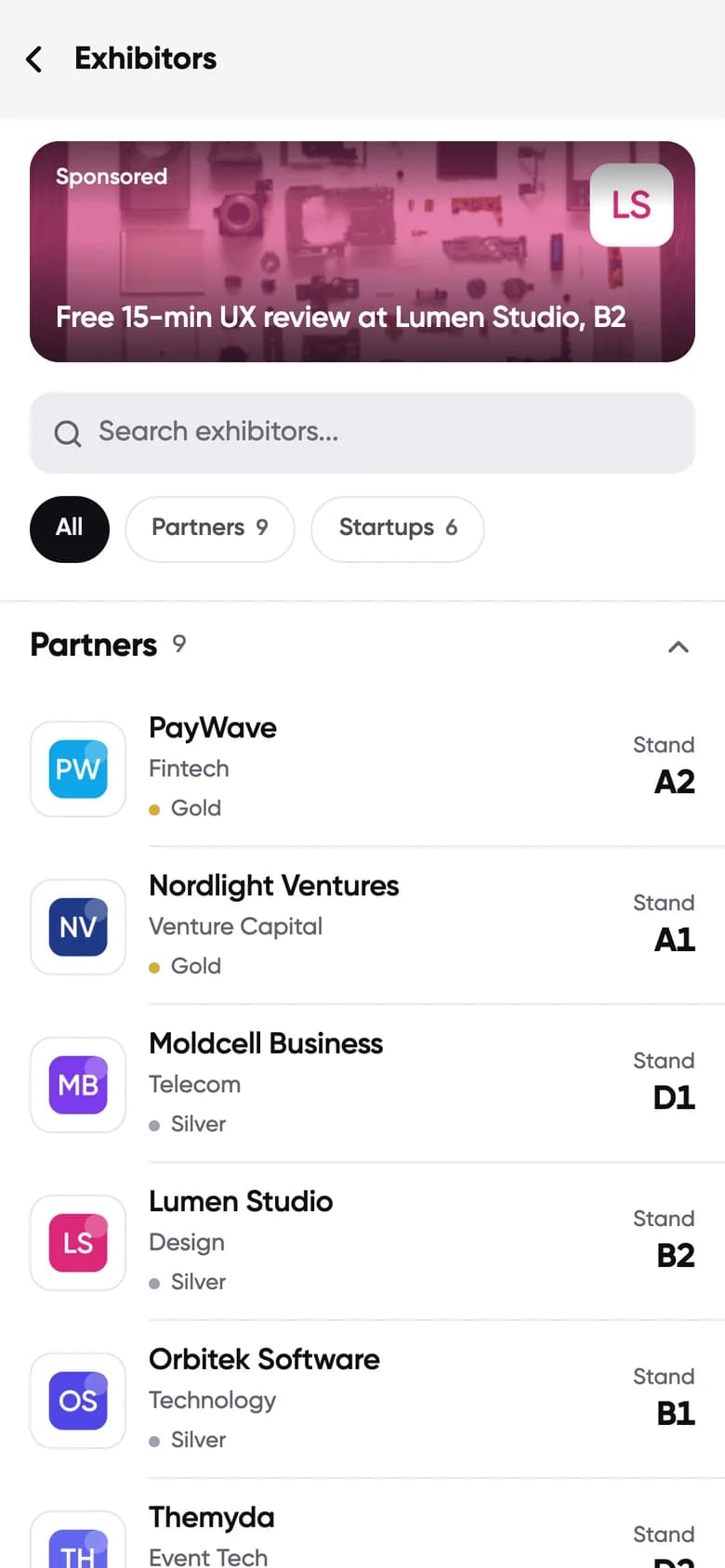
  • Roundtables, exhibitors, a venue map and a social wall
All features
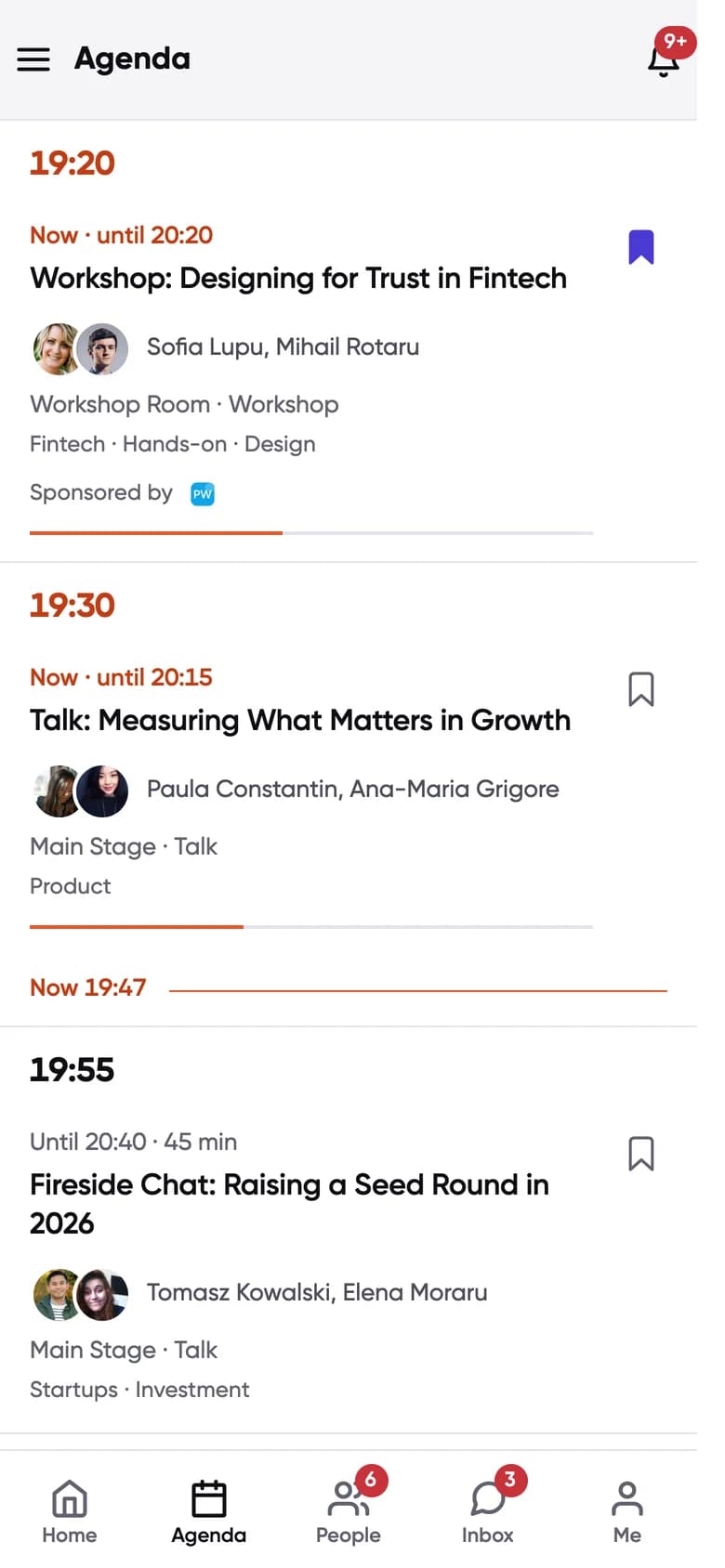
Conecta Agenda: live workshop and talk with speakers, rooms and a Now line
Conecta Roundtables screen: tables with topics, hosts, seats left, Join and waitlist buttons

Your team runs it all from one dashboard

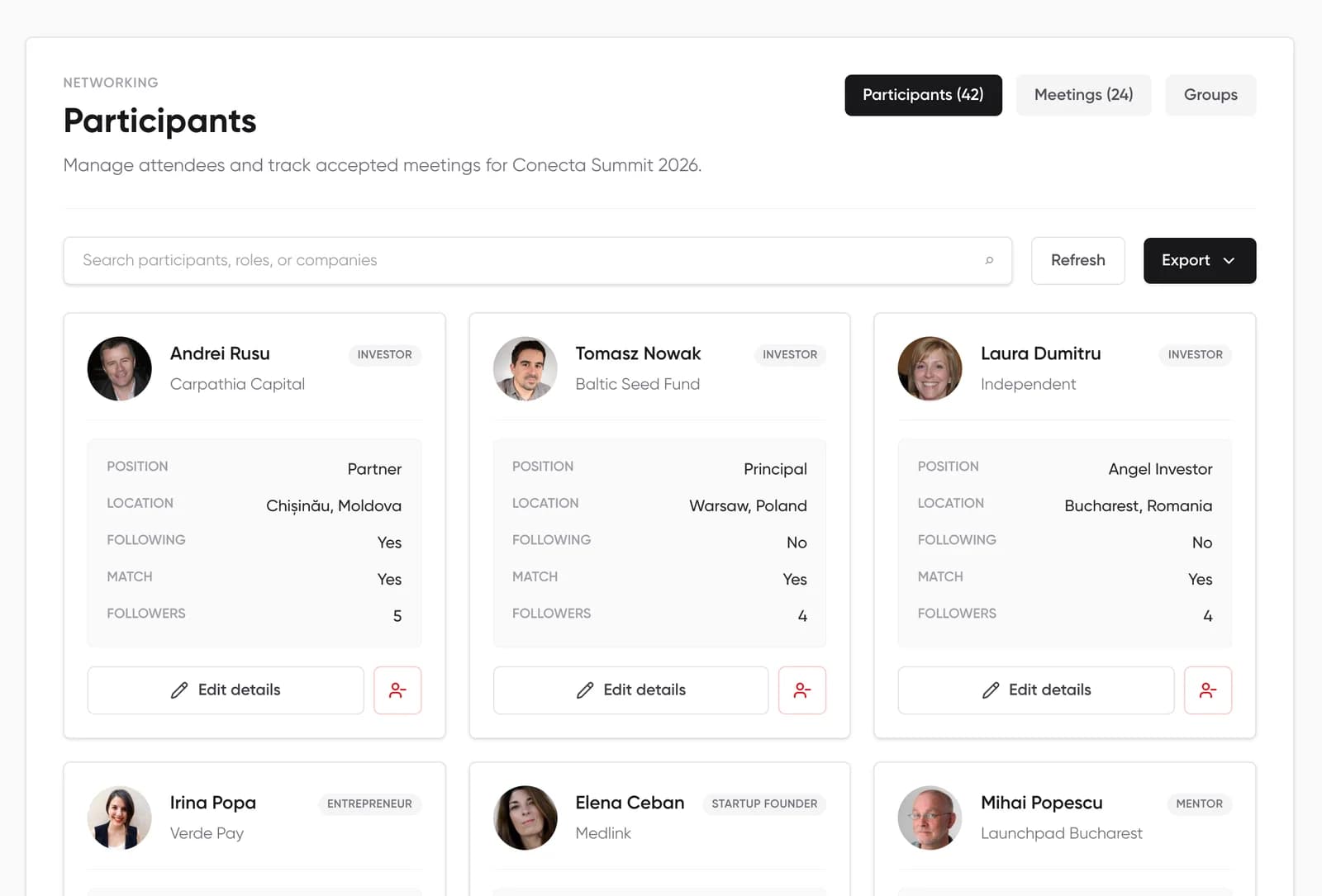
Set up matchmaking, meetings and access before doors open, then follow the numbers during the event. Real screens from our demo event.

admin.conecta.dev
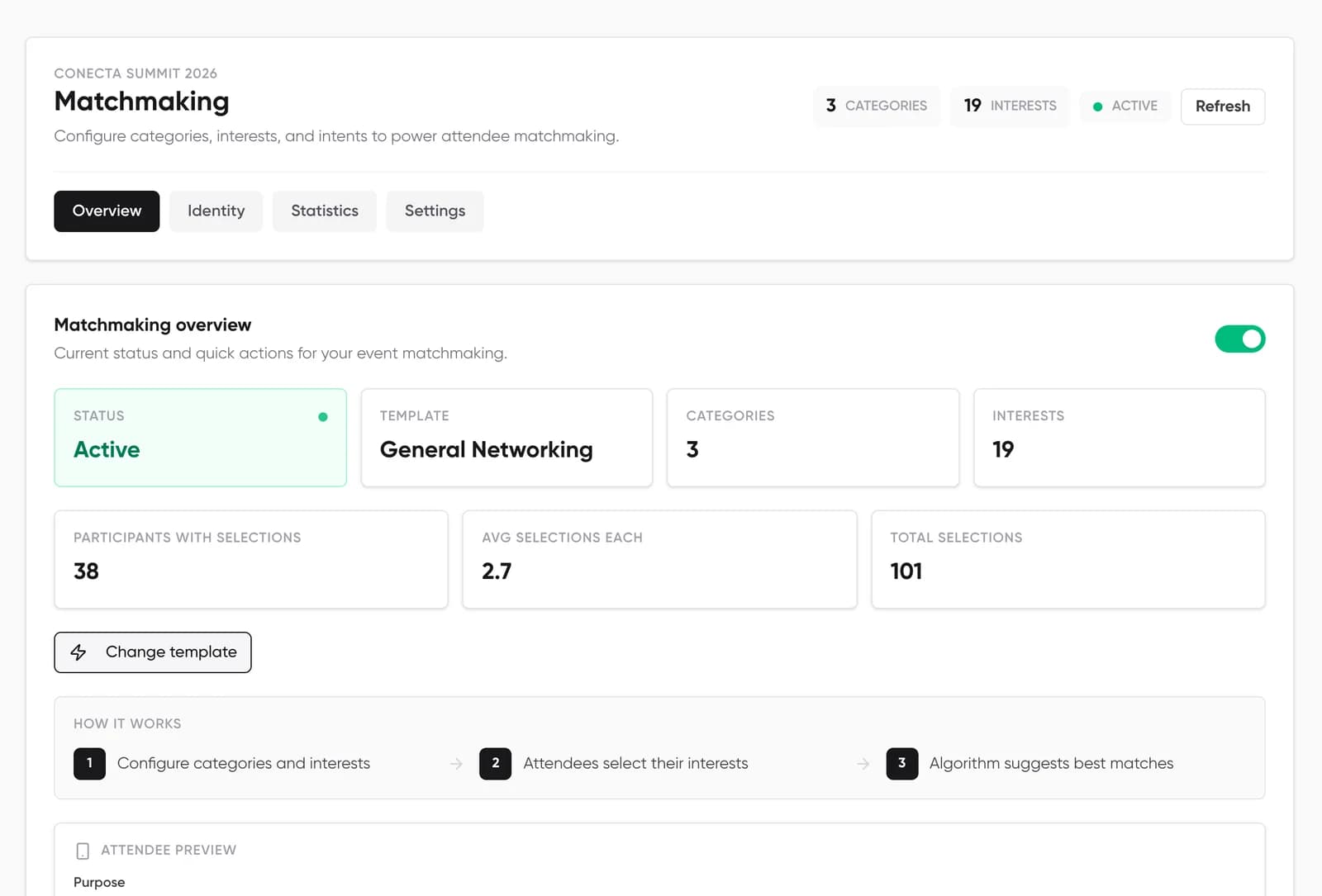
Matchmaking settings in the Conecta dashboard: template, categories, interests and an attendee preview
  • Start from a template, then edit categories and interests
  • Choose which intents each interest allows
  • Turn matchmaking and AI matching on or off

Questions organizers ask us

Something else? Write to us.

What does setup involve for our team?

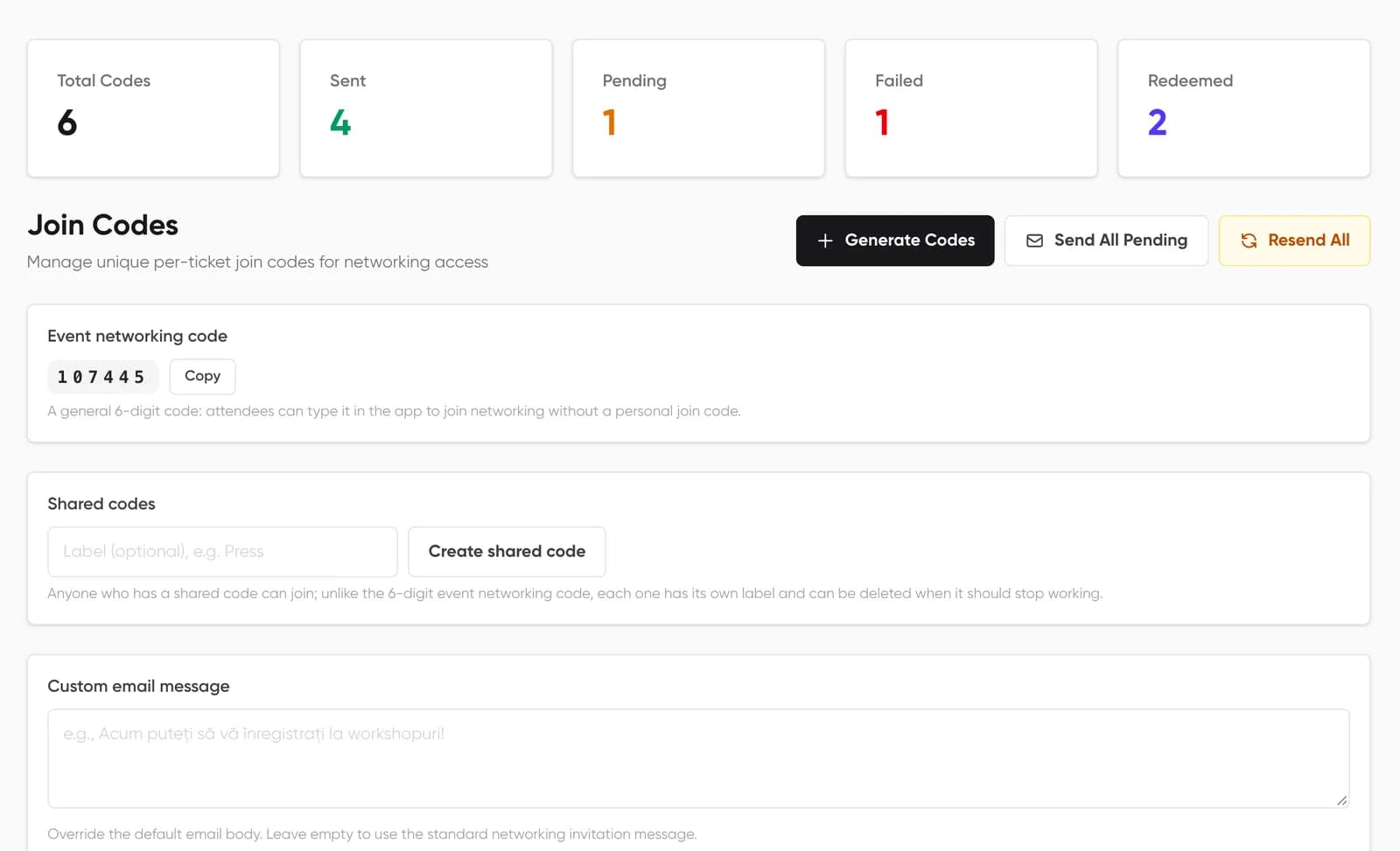
We open your event space. Your team then adds the agenda, speakers, interests, onboarding questions and branding in the dashboard, and chooses how attendees get in. Everything is done from the browser.

What happens in the demo?

A call with our team. We show the attendee app and the organizer dashboard on our demo event, talk through your format and size, and answer questions about setup and pricing.

Is Conecta an app or a website?

Both. Attendees use the Conecta app on iPhone and Android, or open it in a browser at next.conecta.dev. It is the same account and the same event everywhere. Organizers work from a web dashboard.

How do attendees get into the event?

They sign in with their email, Google or Apple. Access then comes from their ticket (Eventino ticket holders are matched by email), a shared event code, a personal join code sent by email, or the event being open to everyone. The organizer decides which.

How does the matchmaking decide who to suggest?

Each attendee picks interests and what they are there for, such as investing, hiring or finding partners. People who share interests and have compatible goals rank higher. When the organizer leaves AI matching on, the ranking also learns from profiles and from who you save, meet and message.

Can meetings happen online?

Yes. The organizer chooses in-person or online meetings. In person, meetings get a table, a venue location or an exhibitor booth. Online, each meeting gets a video link that is sent fifteen minutes before it starts.

Do we have to sell tickets on Eventino?

No. Eventino ticket holders get in without an extra step, and tickets from Oveit can be imported as attendees. Otherwise you invite people with codes.

Which languages does Conecta support?

English and Romanian, in the attendee app and in the organizer dashboard.

What does it cost?

It depends on the size of the event and what you switch on. Book a demo and we will price it with you.

Book a demo

A call with our team. We walk you through the app and the dashboard on our demo event, then talk about your format, size and pricing.

What happens after you book

  1. 1

    The demo call

    We show you Conecta on our demo event, as an attendee and as an organizer, and ask about yours.

  2. 2

    Your event space

    We open the event for you. Your team adds the agenda, interests, questions and branding in the dashboard.

  3. 3

    Invites

    Eventino ticket holders get in automatically. Otherwise you send personal codes, share one code, or open the event.

  4. 4

    The day and after

    People meet, sessions fill and you post announcements. The statistics stay with you afterwards.

Not sure it fits your format? Three questions to check

  1. 1 Your event
  2. 2 About you
What kind of event?
How many attendees?

Two short steps. No account needed.

Book a demo

A call with our team. Tell us about your event and we will show you how Conecta would work for it.

What we cover

  • Conecta on our demo event, as an attendee and as an organizer
  • How matchmaking, meetings and the agenda would work for your format
  • What setup involves for your team, and pricing for your size
  1. 1 Your event
  2. 2 About you
What kind of event?
How many attendees?

Two short steps. No account needed.