Meet the people you came for
Your event uses Conecta so you spend less time wandering the hall and more time talking to the right people. Setup takes a couple of minutes.
How to get into your event
- 1
Open Conecta
Download it for iPhone or Android, or open it in any browser. Same account everywhere.
- 2
Sign in
Use the email you registered with, or Google or Apple. If the organizer sent you a code, enter it.
- 3
Say what you are into
Pick a few interests and, for each, what you want from it: to network, invest, hire, mentor or do business.
What is in the app
Screens from our demo event. Your organizer decides which parts your event uses.
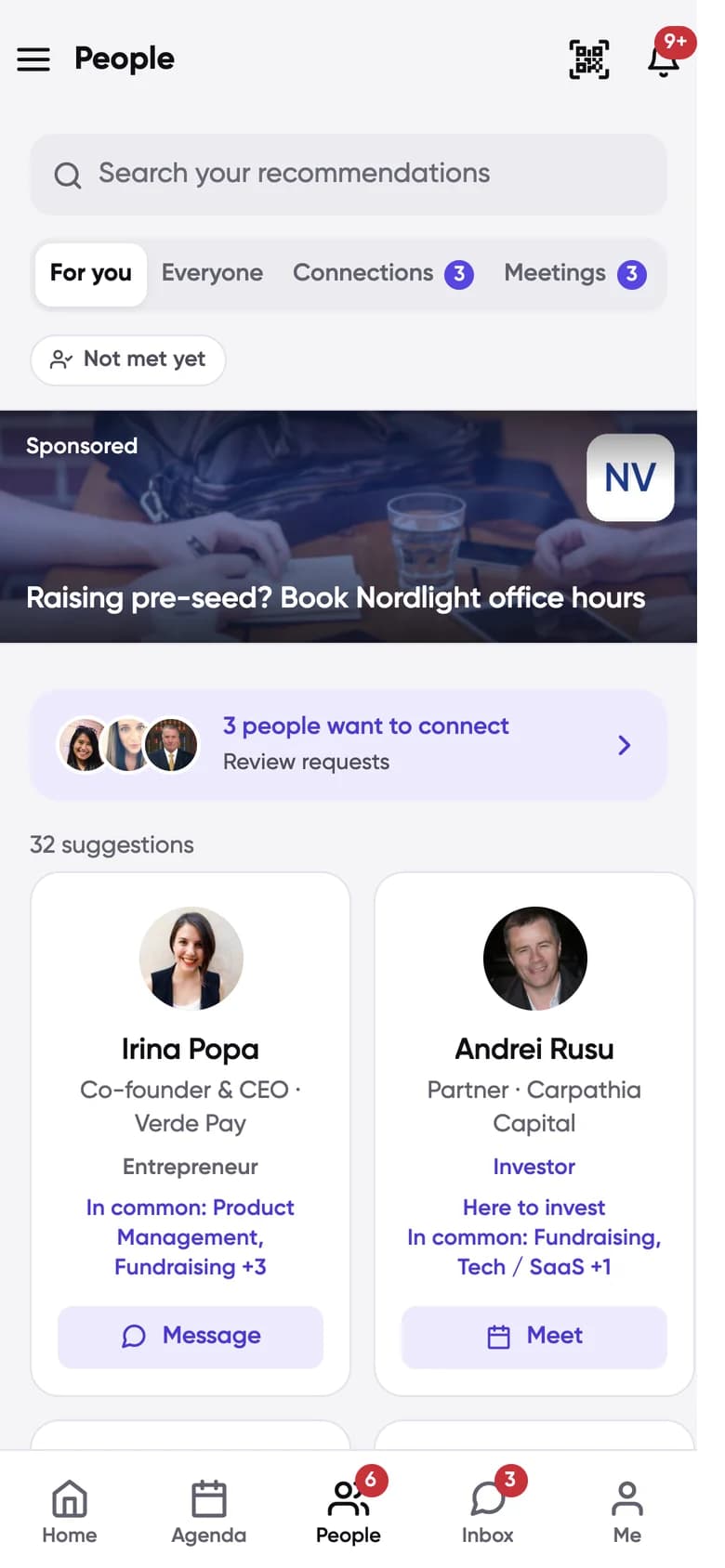
For you
People worth meeting, ranked, each with what you have in common.
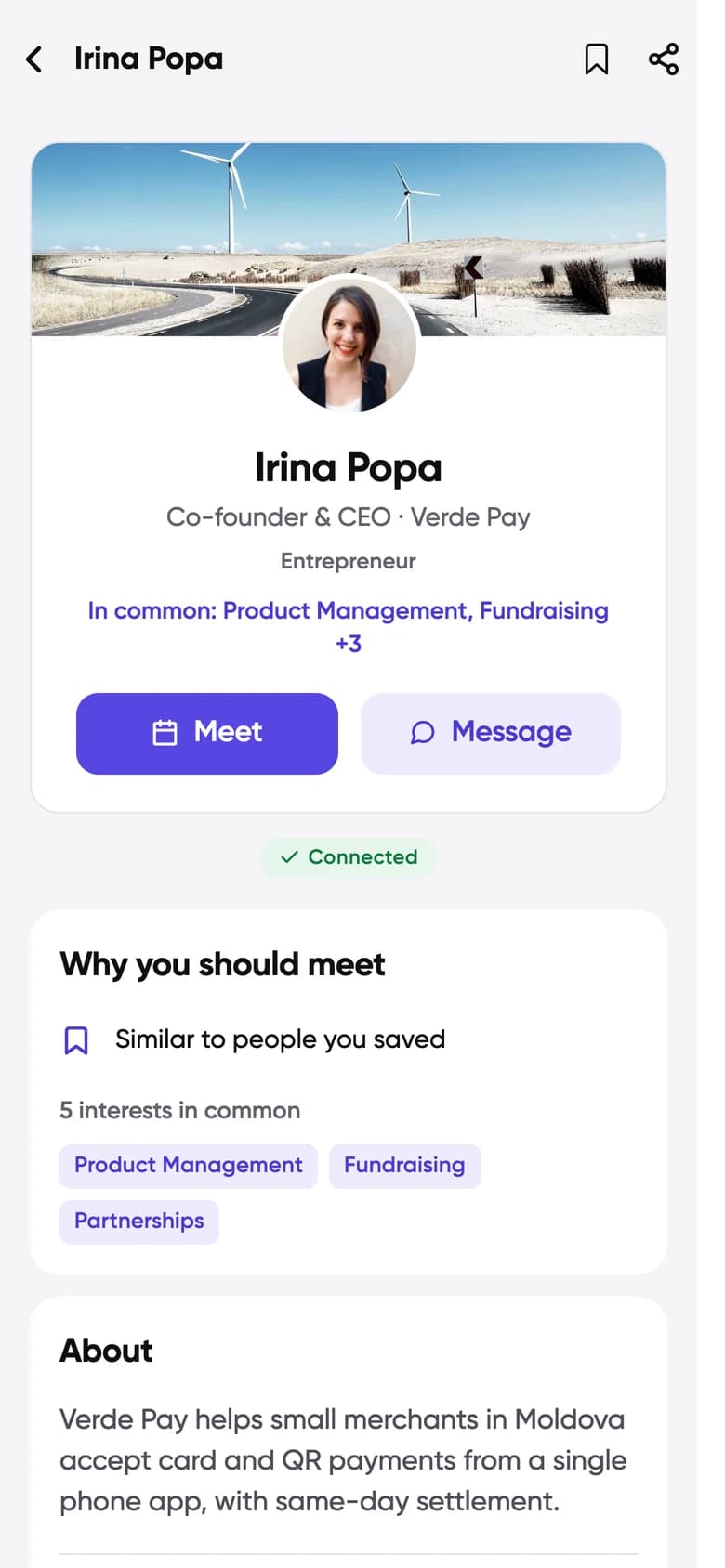
Profiles with reasons
Why you should meet, before you send a single message.
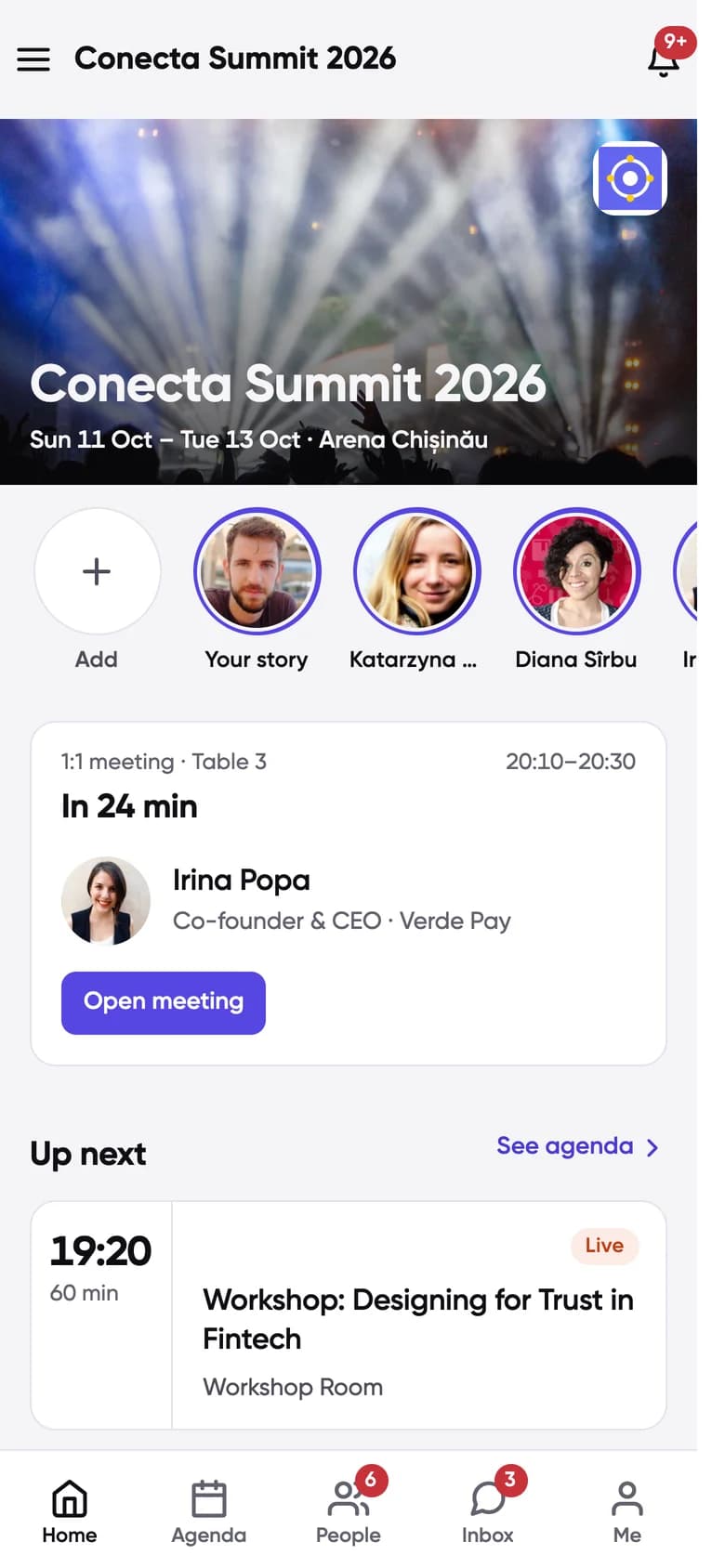
Your next meeting
Who, which table, and how long until it starts.
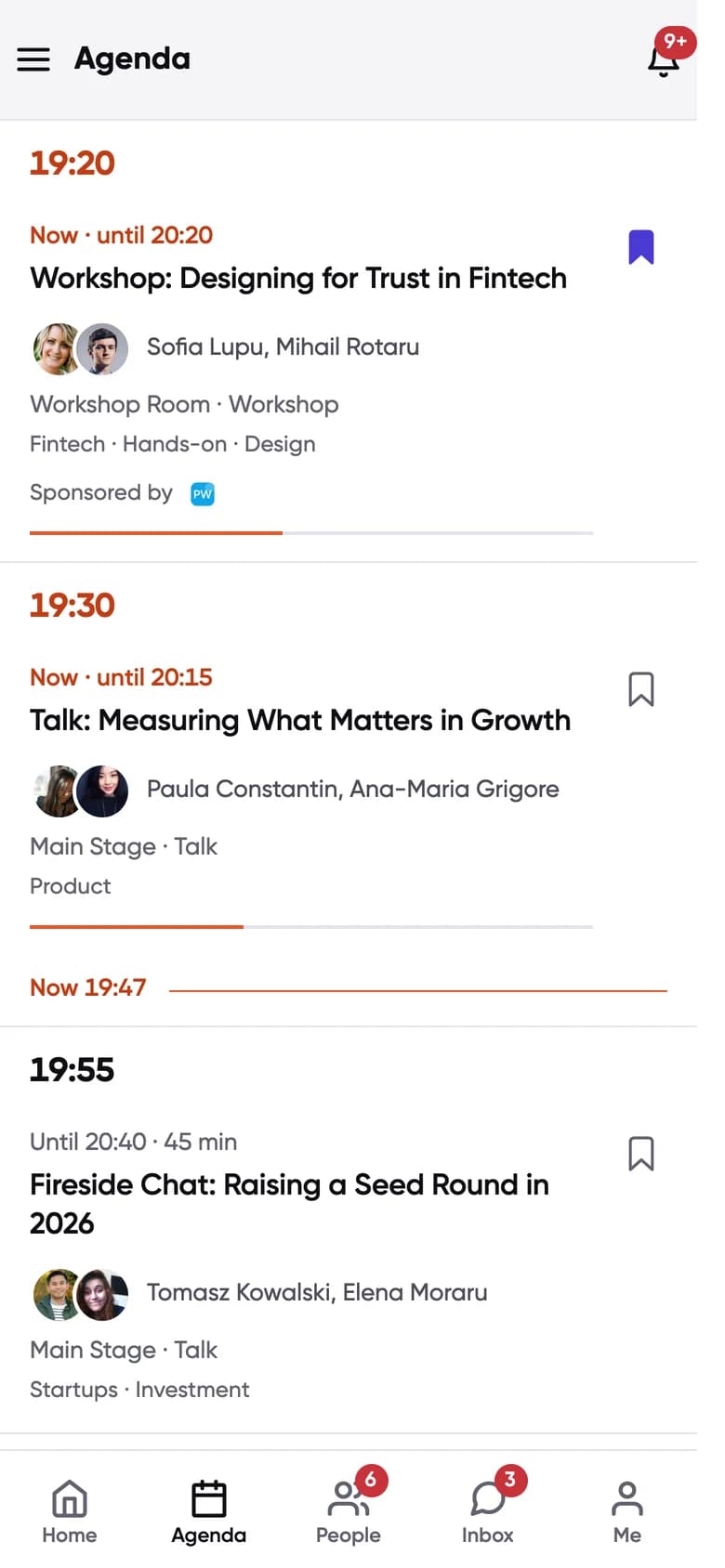
Your agenda
Saved sessions next to your meetings, with Q&A inside each one.
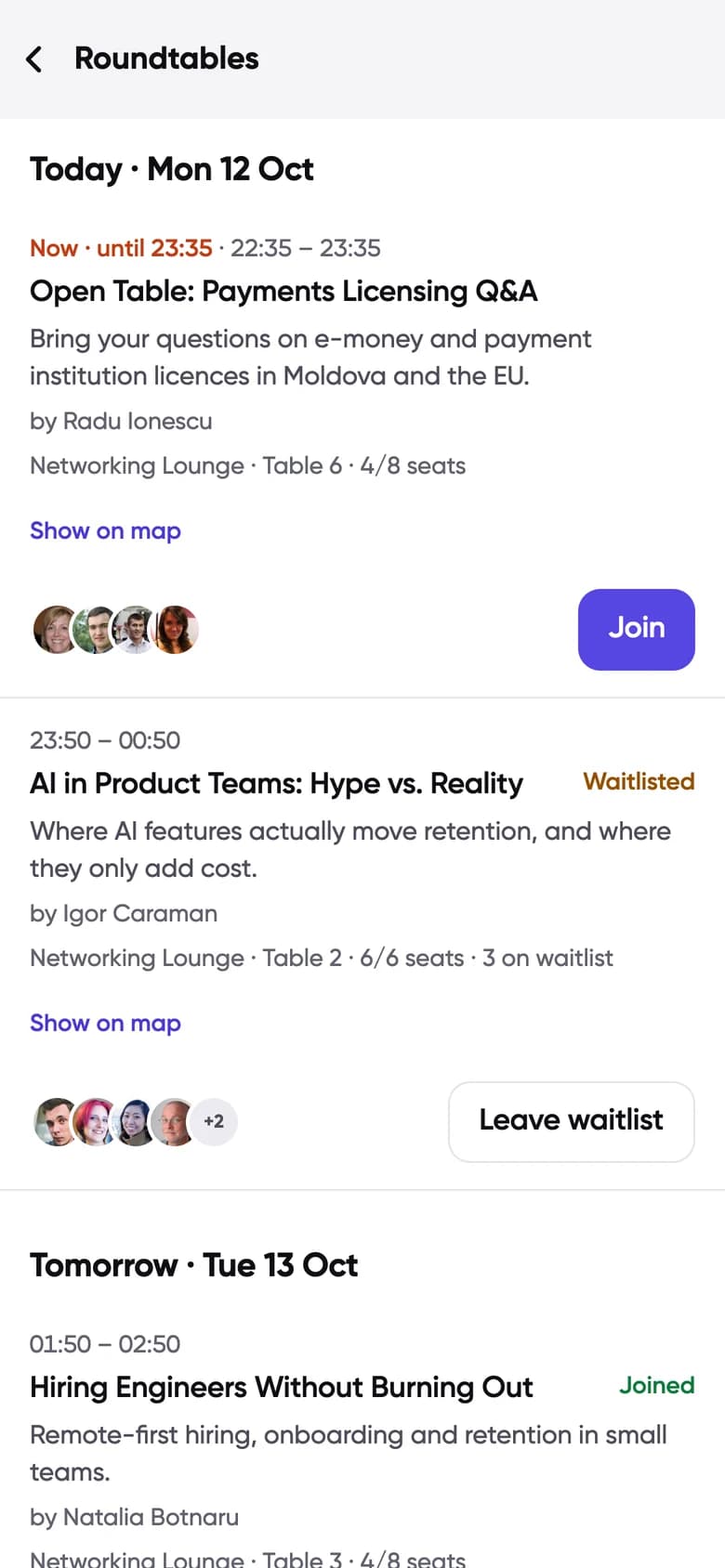
Roundtables
Small tables on a topic. Join, or get on the waitlist.
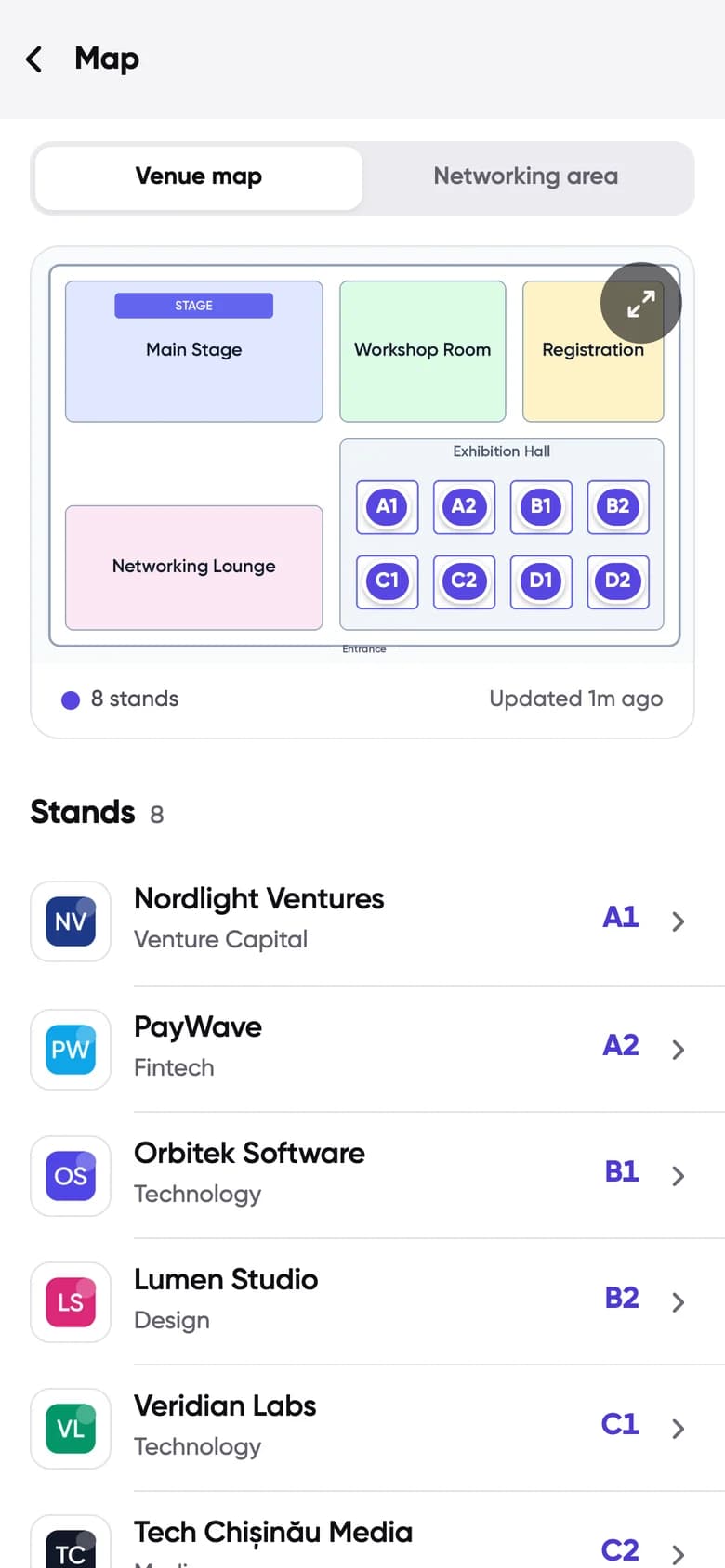
The venue
Rooms, stands and where your meeting is.
You control your profile
- Only people with access to your event can see the attendee list, and you only appear once you join networking.
- You write your own profile and choose your interests. Change them whenever you like.
- Requests from other attendees need your yes. Decline, or propose a time that suits you better.
Questions from attendees
Something else? Write to us.
I signed in but I cannot see my event.
Make sure you used the same email you registered or bought your ticket with. If your organizer gave you an event code or a personal join code, enter it in the app. If it still does not show, contact the organizer of your event.
Who can see my profile?
Only people who have access to the same event, and only once you have joined networking for it. You decide what goes in your profile.
Do I have to accept every meeting request?
No. You can accept, decline, or propose another time. A request from another attendee only becomes a meeting when you accept it.
Can I use Conecta on my laptop?
Yes. Open next.conecta.dev in any browser and sign in with the same account you use on your phone.
Which languages does the app support?
English and Romanian.
Organizing an event and want this for your attendees?
Conecta for organizers