Every Conecta feature, by what it is for
Eight areas, one app for attendees and one dashboard for your team. Switch on what your event needs.
Matchmaking
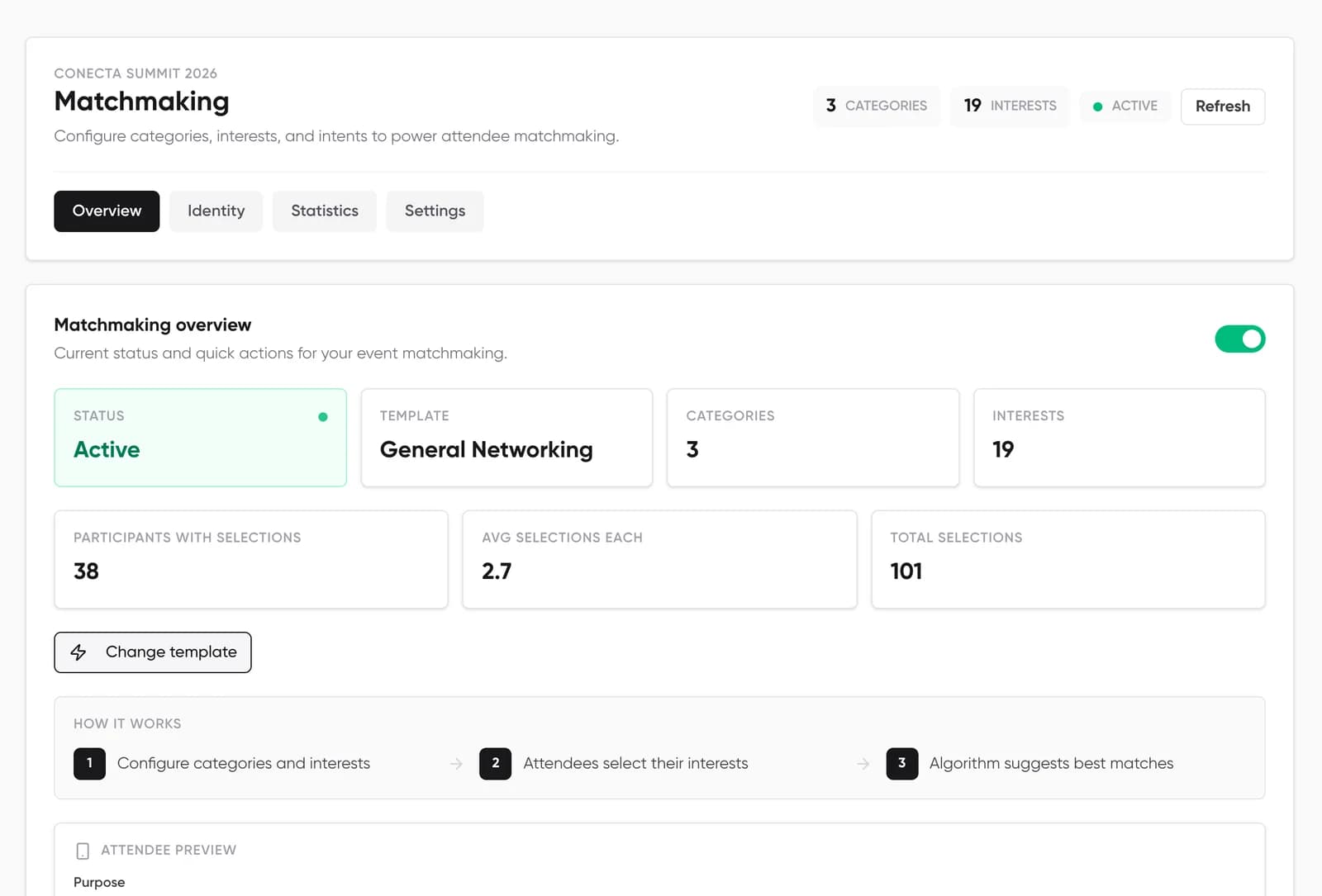
A ranked list of people for every attendee, built from interests and goals, with the reason on every name.
- Templates and interests
- Start from one of five templates, then edit categories, interests and which intents each interest allows.
- Interests with intent
- Attendees pick what they care about and, for each, whether they are networking, investing, recruiting, mentoring or trading.
- Ranking you can explain
- Shared interests and compatible goals decide the order. Weak matches below a minimum score stay out.
- Optional AI matching
- Compares profiles and learns from who people save, meet and message. You can switch it off.
1:1 meetings
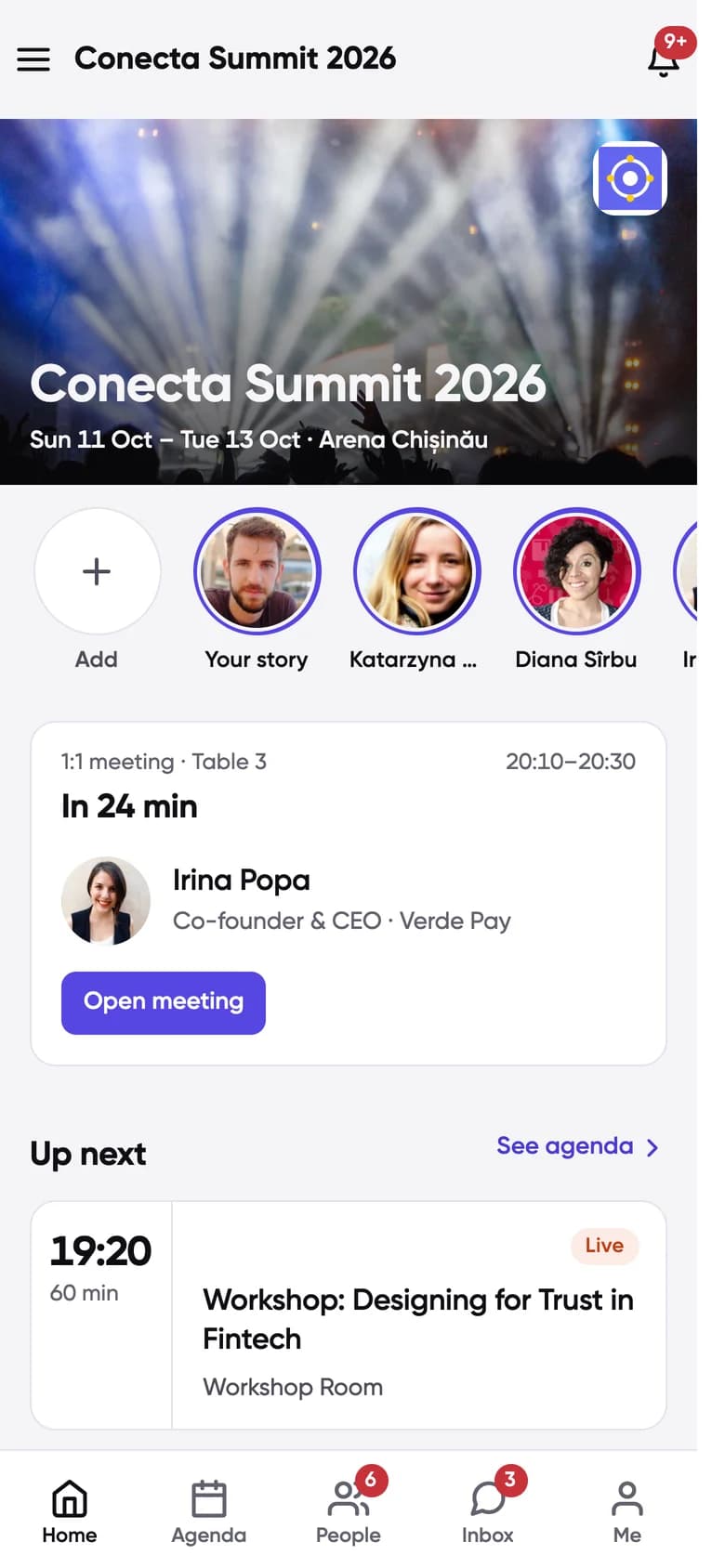
People book each other into open slots, the table is assigned, and both sides see it on Home.
- Slots and notes
- Attendees request a free slot and add a note about what they want to discuss.
- Reply in one tap
- Accept, decline, or propose another time. Meetings can be cancelled from either side.
- Where to meet
- Numbered tables assigned automatically, a venue location, or an exhibitor booth.
- In person or online
- Online meetings get a Daily, Zoom or Jitsi link fifteen minutes before they start.
- Your controls
- Number of tables, meeting length, days and hours. A live board shows every meeting, and a planner lets you book meetings for people.
- After the meeting
- Calendar files and a personal calendar feed, meeting ratings and no-show tracking.
Agenda
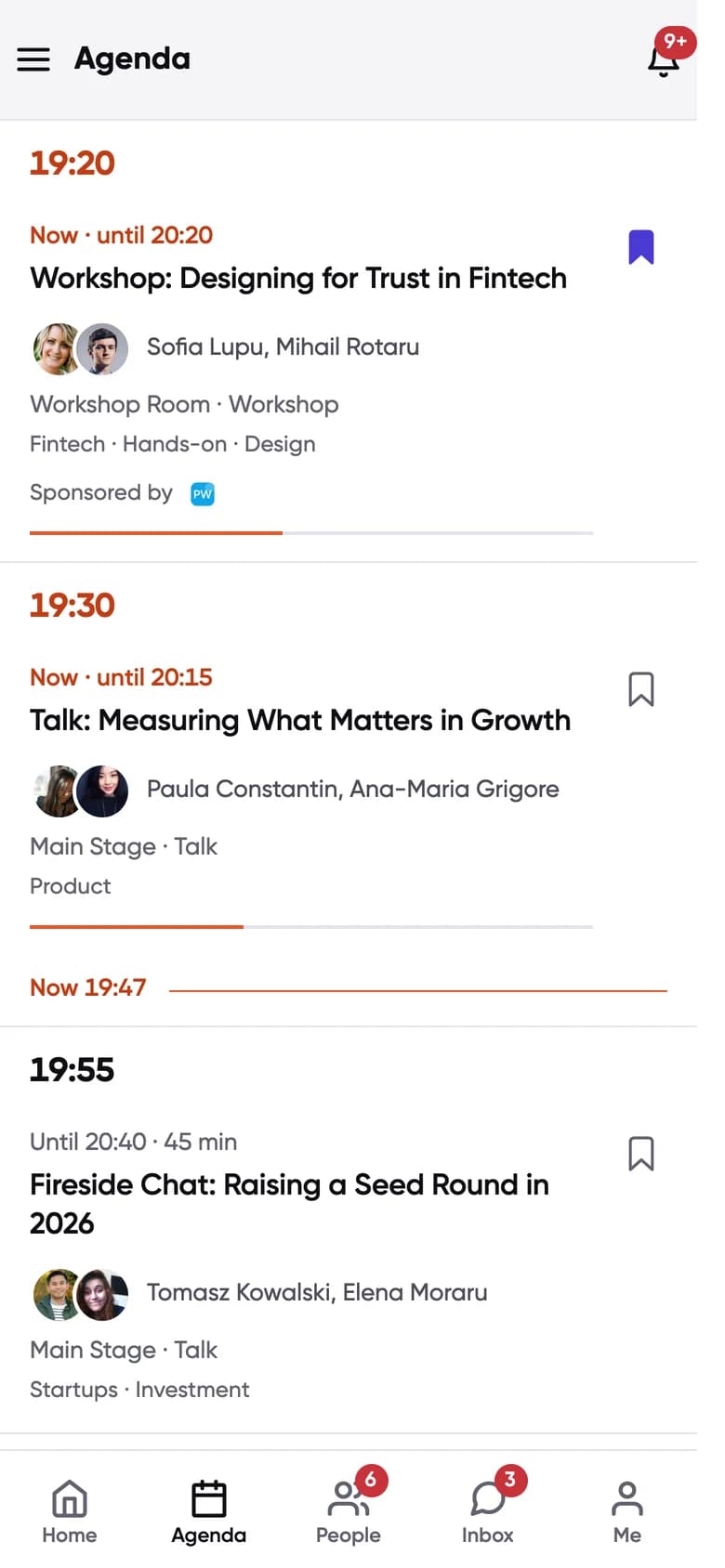
Sessions, workshops and roundtables in the same app as meetings, so nobody double-books.
- My agenda
- Saved sessions sit next to meetings on the attendee’s Home screen.
- Seats and rules
- Capacity limits, waitlists, applications for workshops, and sessions reserved for certain ticket types.
- Session types
- Talks, panels, workshops, networking blocks and breaks, each with rooms and speakers.
- Roundtables
- Small tables with a seat limit, a waitlist and their own group chat.
Engagement
Ways for people to take part during sessions and between them.
- Q&A
- Attendees ask and upvote questions. You can approve questions before they appear.
- Live polls
- Run live polls during sessions.
- Session ratings
- Attendees can rate sessions.
- Social wall
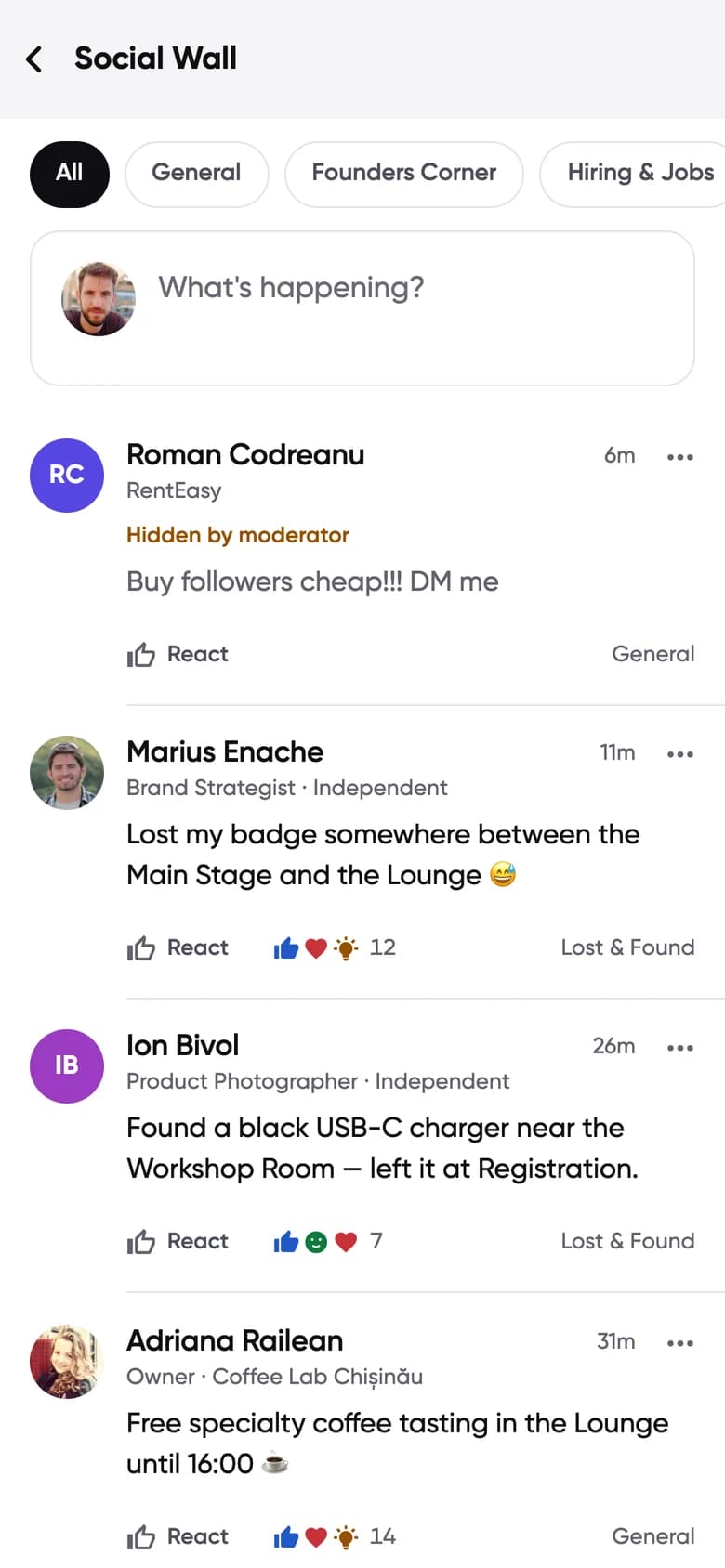
- Topic channels with posts and reactions, moderated by your team.
- Chat
- Direct messages between attendees, plus group chat for roundtables.
Access
You decide who gets in, and only people at your event can see who else is there.
- Sign-in
- Email code, magic link, Google or Apple.
- Ticket holders
- Eventino ticket holders are matched by email and get in automatically. Oveit tickets can be imported.
- Codes
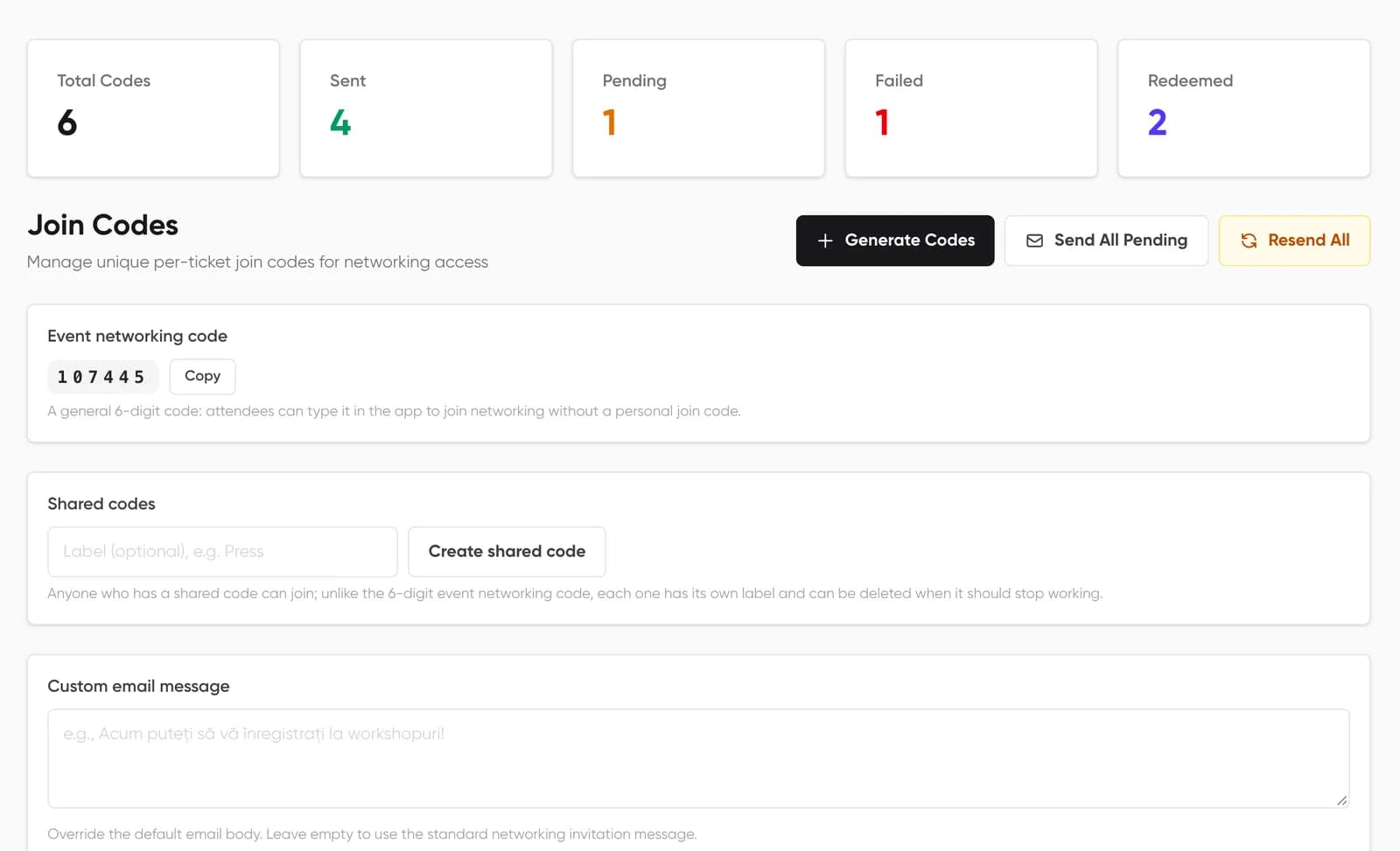
- A shared event code, or personal join codes sent by email with sent and redeemed status.
- Open events
- Or open the event to everyone who signs in.
- Private by default
- The attendee list is visible only to people with access to that event, and lists only attendees who joined networking.
Communication
Reach the right people during the event without leaving the dashboard.
- Announcements
- Push notifications and email to everyone, or to one role or company, sent now or scheduled.
- Email campaigns
- A block editor with templates, segments by role or ticket type, and scheduling.
- Your brand
- Event logo, cover images, colours, a welcome screen and which tabs attendees see.
Sponsors and exhibitors
Give partners a reason to be there and a record of who they met.
- Exhibitor profiles
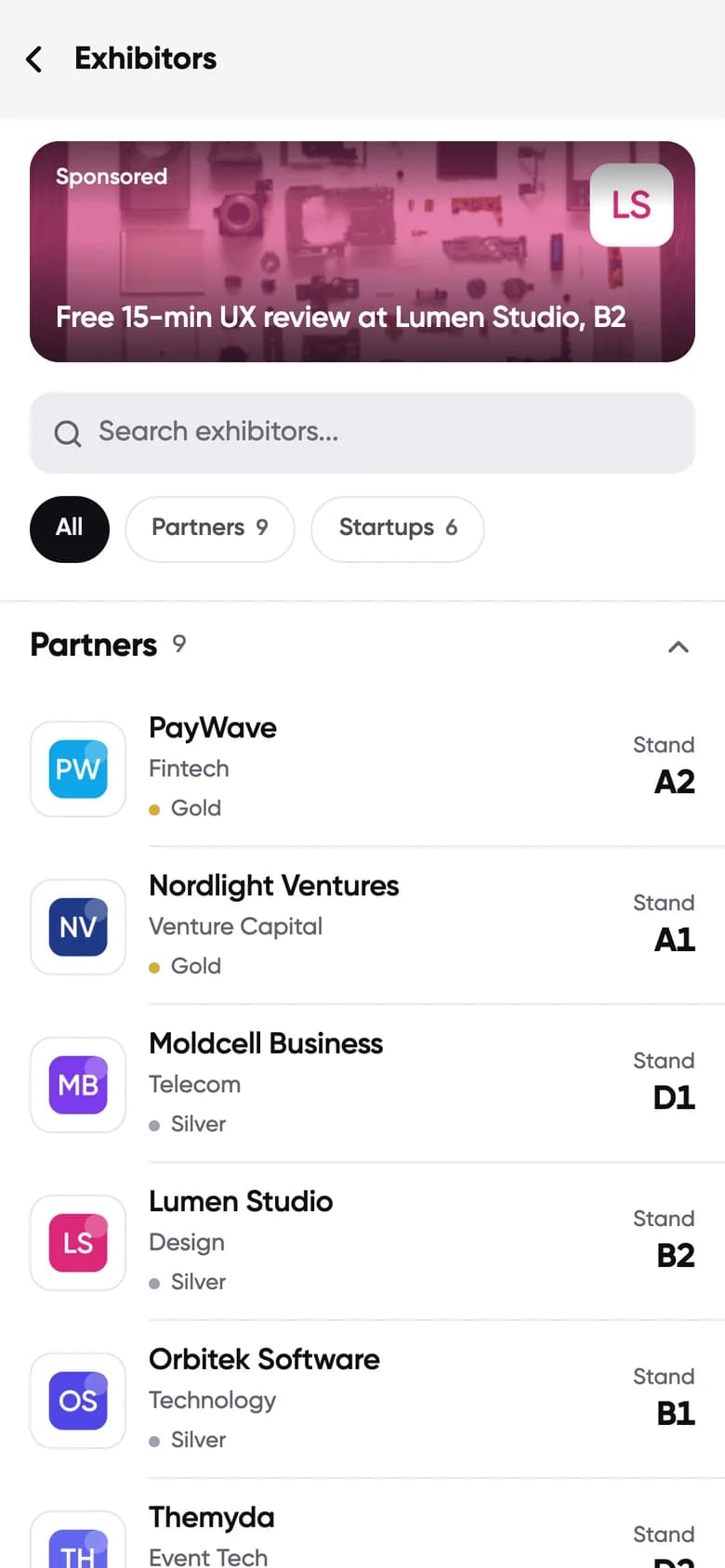
- Exhibitors and partners in the app, with booths on the floor plan and venue maps.
- Booth meetings
- Attendees can book meetings at an exhibitor booth.
- Lead scanning
- Sponsors scan attendee badges, ask your qualifying questions and add notes, tags and a lead score.
- Sponsored placements
- Promoted spots inside the attendee app for partners.
Analytics and data
Numbers you can act on next time, and data you can take with you.
- Networking statistics
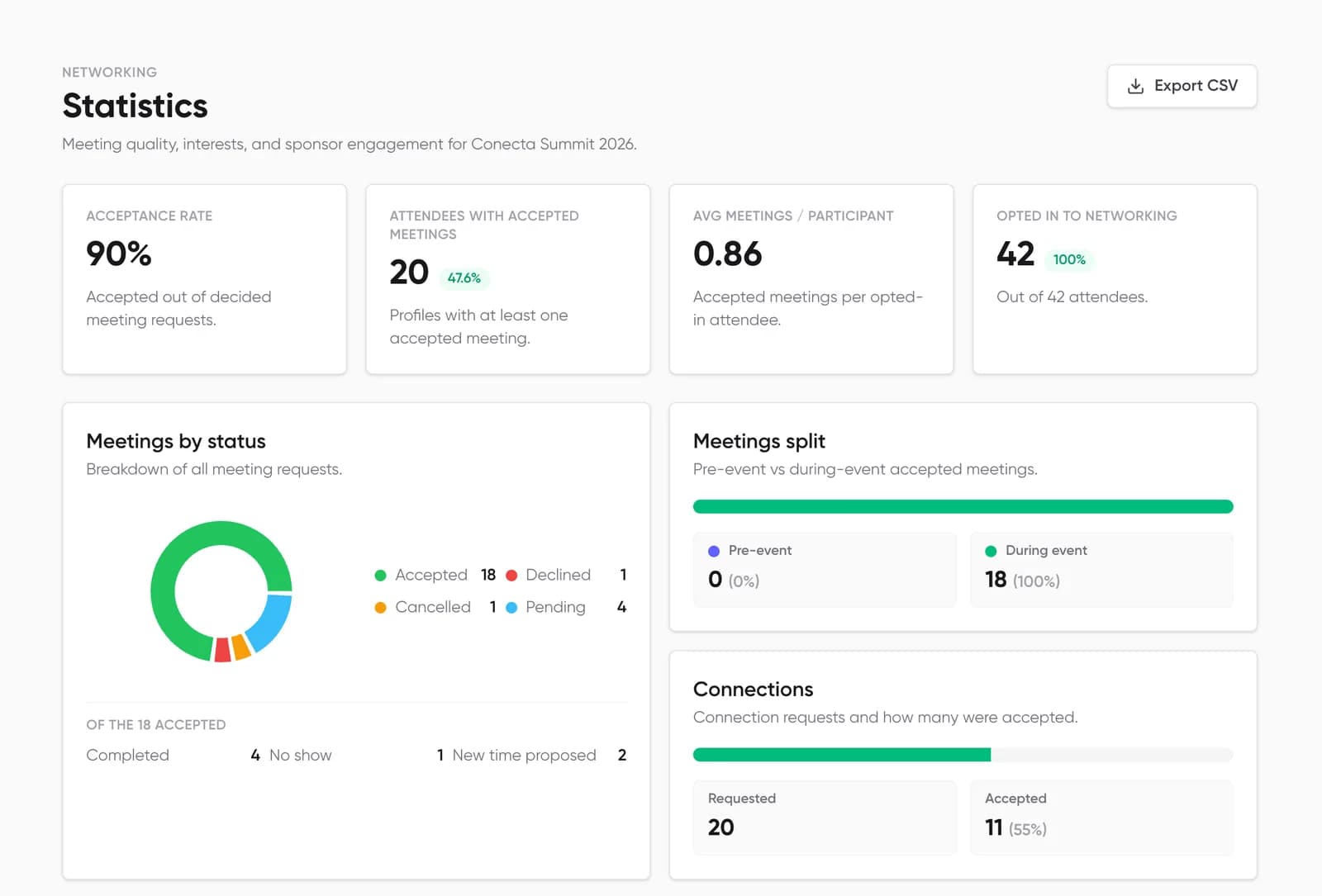
- Opt-in rate, attendees with meetings, acceptance rate, meetings per participant and meetings by status.
- Before and during
- How many meetings were booked before the event and how many on the day.
- Interests and people
- Top interests, the intent mix and the most active attendees.
- Export and sync
- Participants and statistics to Excel or CSV. Profiles, leads, speakers and companies to HubSpot.
The attendee app runs on iPhone, iPad, Android and the web, in English and Romanian. The dashboard runs in the browser. See how it all fits together on the platform page or in how it works.